编译支持DDS的固件
下载源码完成后 cd ~ git clone --recurse-submodules https://github.com/ardupilot/Micro-XRCE-DDS-Gen.git cd Micro-XRCE-DDS-Gen ./...
下载源码完成后
cd ~
git clone --recurse-submodules https://github.com/ardupilot/Micro-XRCE-DDS-Gen.git
cd Micro-XRCE-DDS-Gen
./gradlew assemble
echo "export PATH=\$PATH:$HOME/Micro-XRCE-DDS-Gen/scripts" >> ~/.bashrc
source ~/.bashrc
cd ~/Micro-XRCE-DDS-Gen
sudo cp -r ./share /usr/local/
sudo cp ./scripts/microxrceddsgen /usr/local/bin/
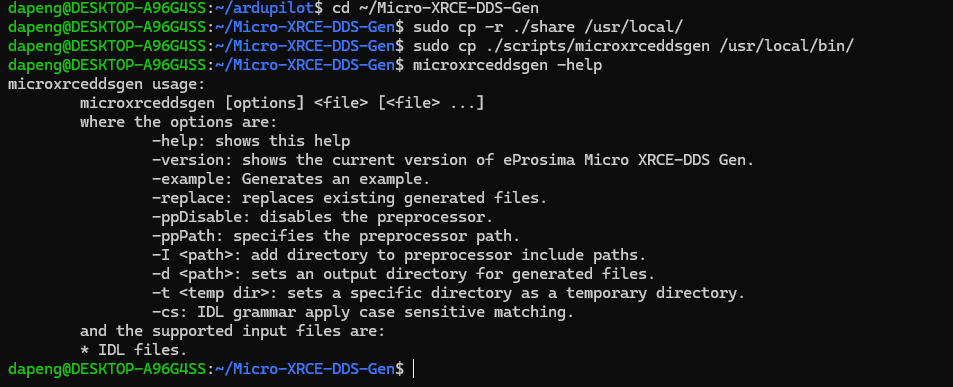
microxrceddsgen -help,执行完成后能够看到以下提示,则代表安装成功
  cd ~/ardupilot

  git submodule update --init --recursive

  ./waf clean

  microxrceddsgen -help
  确保会弹出上述图


  # 修复 DDS 语法报错,分别执行
sed -i 's/case PARAMETER_INTEGER:/case ParameterType::PARAMETER_INTEGER:/g' libraries/AP_DDS/AP_DDS_Client.cpp
sed -i 's/case PARAMETER_DOUBLE:/case ParameterType::PARAMETER_DOUBLE:/g' libraries/AP_DDS/AP_DDS_Client.cpp
sed -i 's/case PARAMETER_STRING:/case ParameterType::PARAMETER_STRING:/g' libraries/AP_DDS/AP_DDS_Client.cpp
sed -i 's/case PARAMETER_GROUP:/case ParameterType::PARAMETER_GROUP:/g' libraries/AP_DDS/AP_DDS_Client.cpp
sed -i 's/= PARAMETER_NOT_SET/= ParameterType::PARAMETER_NOT_SET/g' libraries/AP_DDS/AP_DDS_Client.cpp
sed -i 's/= PARAMETER_INTEGER/= ParameterType::PARAMETER_INTEGER/g' libraries/AP_DDS/AP_DDS_Client.cpp
sed -i 's/= PARAMETER_DOUBLE/= ParameterType::PARAMETER_DOUBLE/g' libraries/AP_DDS/AP_DDS_Client.cpp

./waf configure --board WFG100 --enable-dds

./waf copter